Not every animal photo makes a good giant. Some subjects look great walking past skyscrapers; others turn into a blurry shape with legs. The difference is mostly in the photo, and a little in the animal itself. This guide goes subject by subject so you can pick your best shot before you spend your one free preview.
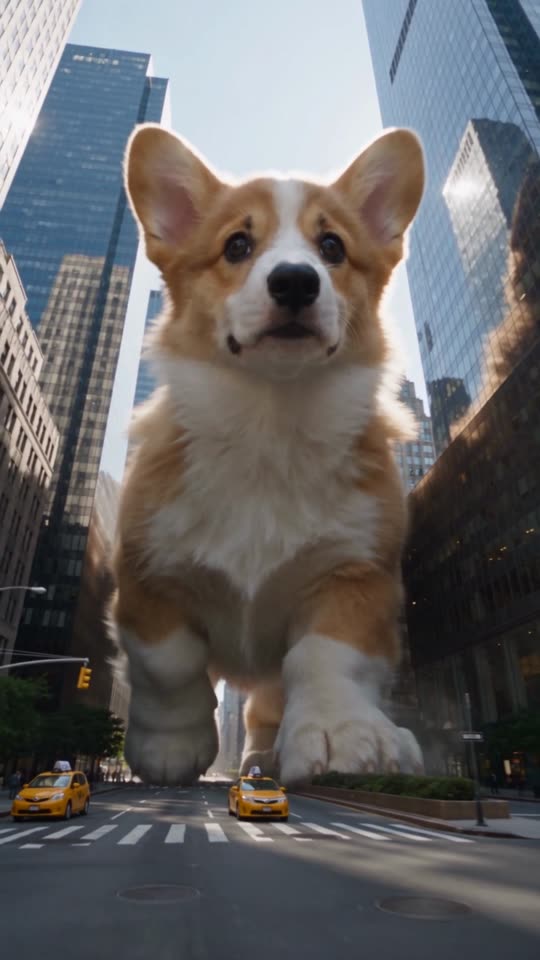
Everything here applies to Make It Giant AI, which takes one photo and returns a vertical clip of the subject growing huge in one of four scenes (day city, neon night, beach town, snowy city).
The quick ranking
| Subject | How it usually goes | The one thing to get right |
|---|---|---|
| Dogs, short coat | Easy | Full body, side-on |
| Cats | Easy to medium | All four paws visible |
| Long-haired pets | Medium | Sharp focus, daylight |
| Small pets (hamster, rabbit, guinea pig) | Medium | Get low, fill the frame |
| Birds | Harder | Perched, wings folded |
| Plush toys and figures | Easy | Plain surface, nothing cropped |
| Fish, reptiles in tanks | Hard | Avoid glass reflections |
This table is our guidance based on how the model handles shape and edges, not a lab test, so treat it as a starting point.
Dogs
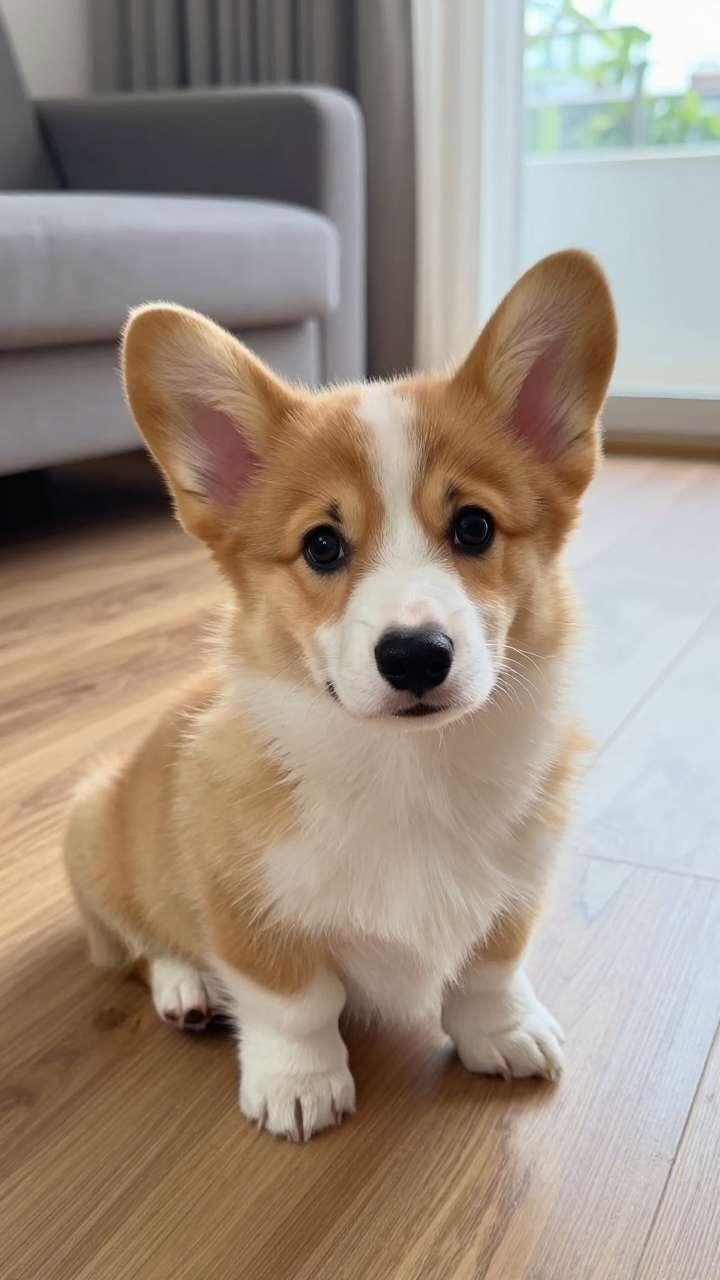
Short-coated dogs with a clear outline are the friendliest subject. Shoot from the side or at three-quarters, standing rather than lying down, so the model has legs to walk with. Our corgi sample below is exactly that kind of shot.
Cats
Cats curl up, which hides their legs. Wait for a standing or walking moment, or a sit with front paws visible. Avoid the from-above shot of a cat on the floor; it squashes proportions. We wrote a full walkthrough in giant cat AI video.
Long-haired pets
Fluffy coats are lovely in person and tricky at 480p. Soft edges can merge with the background. Use daylight, a plain contrasting surface (a dark rug behind a white Persian, for example) and make sure the face is in focus.
Small pets
Hamsters, rabbits and guinea pigs look comic as giants, which is the point. The challenge is that phone photos of small animals are often taken from far above. Get down to their level and fill the frame. Name the subject in the 40-character box ("my hamster") so the model knows what it is looking at.
Birds
Doable, but pick a calm perched photo with folded wings. Mid-flap photos are blurry and the wings tend to come out uneven.
Toys, plush and figures
These are reliable because they do not move while you shoot. Put a plush on a plain floor or table so its soft outline stays clear, and keep the whole action figure in frame including the feet. Rubber ducks, sneakers and collectibles also work; see the duck and sneaker examples on the homepage.
Tanks and glass
Fish, turtles or anything behind aquarium glass are hard. Reflections and water distortion confuse the outline. If you want to try, shoot straight on with the room lights off and the tank light on.
Rules that apply to everything
- One subject per photo. Crop out the second pet.
- JPEG, PNG or WebP, up to 10MB.
- No real-person portraits. Pets, toys and objects only.
- Only use photos you took or have permission to use.
Trying it
New accounts get one free preview after signing in: 480p, 4 seconds, watermarked, playing in the browser. Use it on your best photo, not your favorite one. If the subject holds together, the full clip is $4.99 on the pricing page: 10 seconds, 720p, 9:16, no watermark, MP4 download, no subscription. If a generation fails, the credits are refunded automatically.
FAQ
What animals work best for giant AI videos?
Short-coated dogs and standing cats are the easiest. Plush toys and figures are also reliable because they are easy to photograph cleanly.
Can I use a photo with two pets?
Crop to one. The tool makes one subject giant per clip.
Does the background in my photo matter?
A plain background helps the AI find the outline. The city comes from the scene you pick.
Can I make a giant person?
No. Make It Giant AI is for pets, toys and objects only.
Share